

Best Website Hosting Platform that every Beginner should Use
2. Create a Domain name
If you’re launching a blog, a domain name is important. It’s the IP address (mediaminitip.com) where people click to have access to your website.
Picking a domain name is the next step if you want your blog to look professional . Although it’s not the deciding factor of whether your blog is going to succeed or not, pick a domain a name that’s related to your niche.
For example, if you’re writing a blog about mental health, make sure to include the word mental or health somewhere in your domain name. But at the same time, create an original name so people can easily recognize your brand. If you have a memorable brand name, than you'll have an easier time in expanding your blog and making money from it.
For a domain name in mental health, here are some creative names:
Mentalhappiness.com
Thelittleselfjoysofhealth.com
Mentallybalanced.com
Here is a free search bar from Bluehost where you can check if your domain name is available!
3. Benefit of Bluehost
Among all the website builders I’ve used so far. Bluehost is one of the highest quality website hosting at a cheap price. You can't beat the price of $3.95 ! For newbies who don’t have a clue on how to build a website. Bluehost offers you 24/7 h of online support call.
For 3,95 $, you can have access to the following benefits:
As a new blogger, you get:
1. FREE Domain Name For Your 1st Year
2. Free SSL Certificate Included
3.1-Click Wordpress Support
4. 24/7 chat with an expert chat online

They help you create your very own blog on WordPress, the world’s favorite platform with more than 35% of uses on the web, to assisting choosing the best website design themes for your niche!
3. Select your hosting plan
For new bloggers, I strongly suggest picking the basic plan. Once you become an expert, picking the Plus Plan will be the better option !

4. Put in your domain name
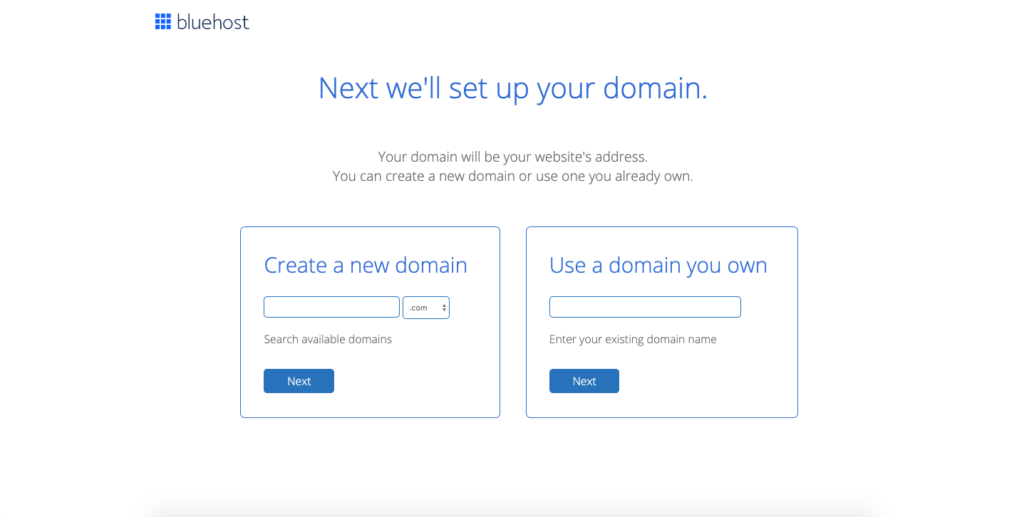
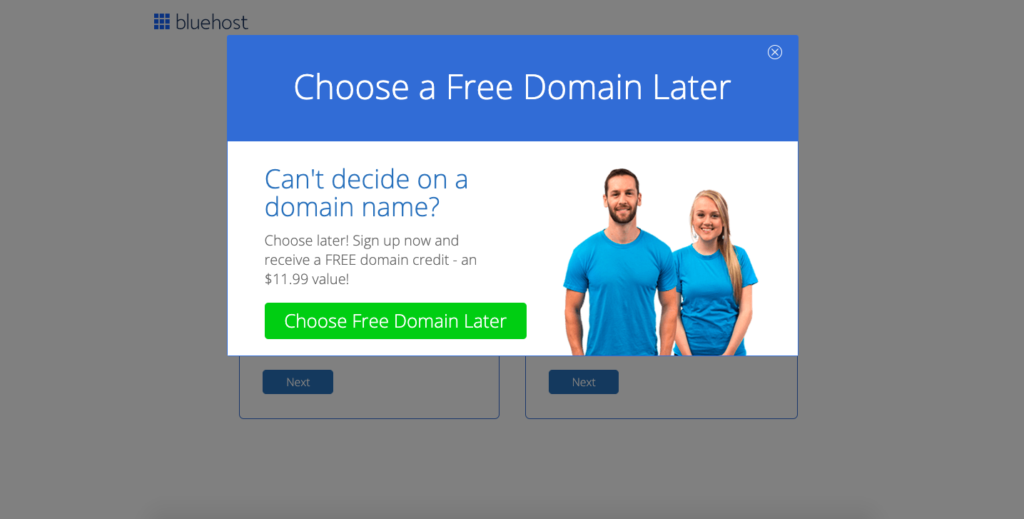
This is where you insert the domain name that you've chosen before. Don't worry! If you hadn't pick a domain name yet, a window will pop up telling you to pick the name at a later time.
Just focus on building your website first!
Just a wait a couple of minutes, and this offer will pop up!
5. Create your hosting account
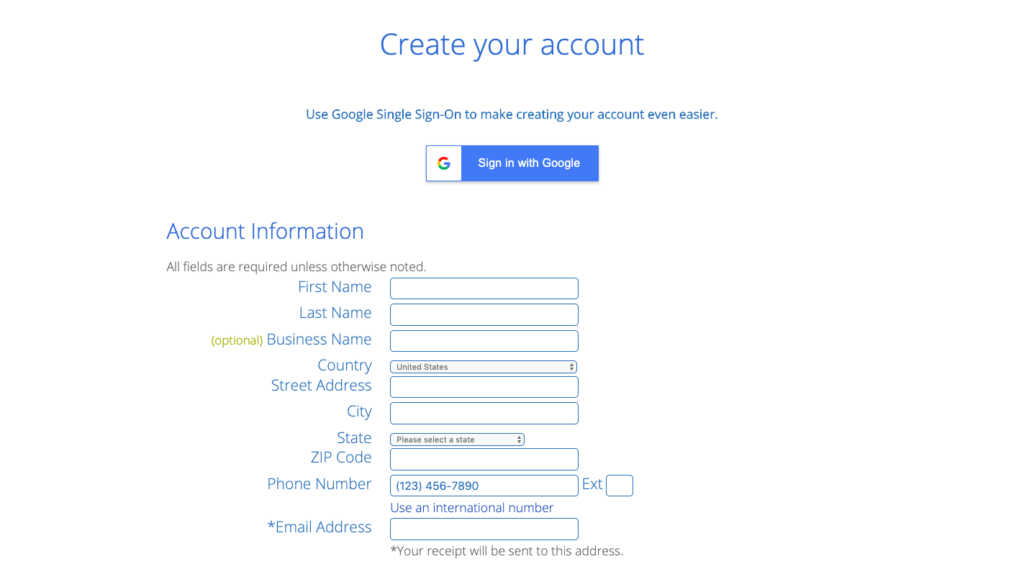
6. Choose your package and pay

This is where you’ll select your hosting plan.
In my opinion, the 36-month plan is the best deal at $3.95 a month, but you can also pick a 12-month plan at $5.95 a month for an overall lower cost.
What about package extras? You have the options to add on extras like site backups, SEO tools, or site security.
However, once you have your website, WordPress offers you the exact same tools, but for free!
Congrats! You now finish the most important step. Now Wordpress will automatically install the blog for you.
What exactly is WordPress? It’s the content management platform that your blog will run on. Your WordPress dashboard is where you will go to edit the look of your blog, write blog posts, upload images, etc.
It's extremely user friendly, hence why I recommend Bluehost as your website hosting.
7. Design Your Blog
Now comes the exciting part - designing your own blog!
When you log in to your WordPress dashboard for the first time, you will be prompted to go ahead and choose a theme for your blog:
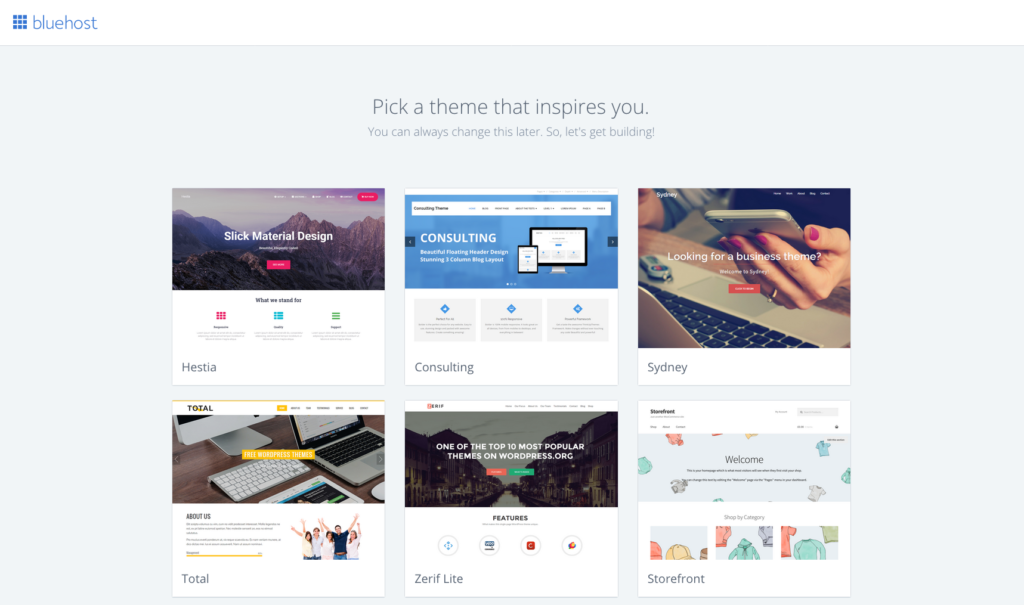
Pick any default theme that you find attractive, but I advise that you don't, even as a beginner blogger. For one, these default theme are mainly designed for business websites, and do not offer have the necessary features for a blogger in mind.
Secondly, it's better to choose a premium theme over a default theme, so your website can look more professional.
Here are the benefits to choosing a paid, premium theme for your blog:
- Responsive website will hep your website speed
- You will have access to customer support from the theme creator.
- Paid themes come with crucial features like a mobile responsive design and customization options.
- You will look like a pro blogger
To install your theme, go to Appearance > Themes in the lefthand menu of the WordPress dashboard, which looks like this:
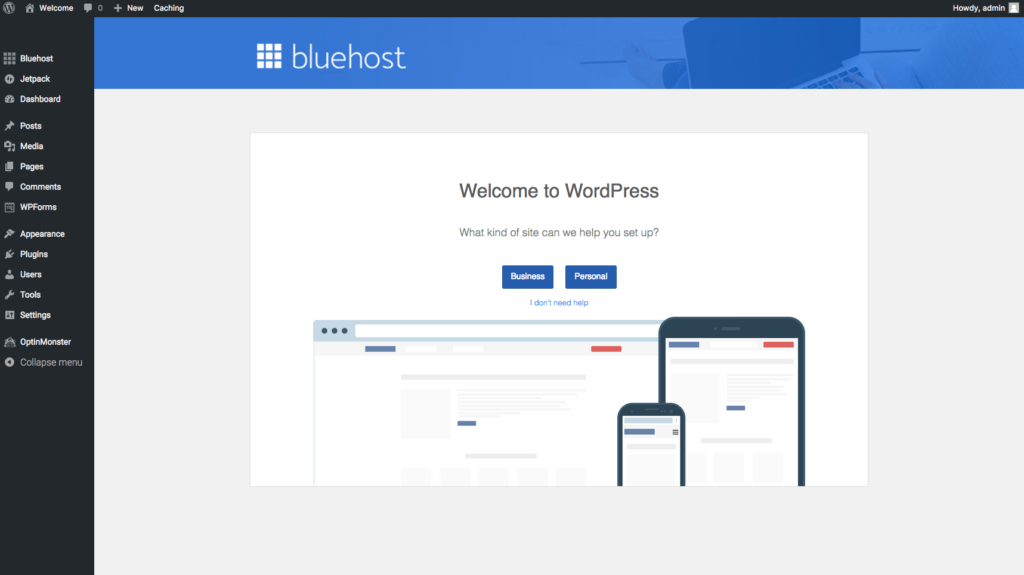
Then simply upload your theme file and click “Activate.”
What should you do next? Write your first blog post of course! For beginner bloggers, I suggest writing 10-15 blog posts and slowly build your audience first.
Step 5: Make Money Blogging!
There are several ways to making money blogging. Once you written your first couple of blog posts, you can already think about monetizing your blog right from the start !
Beware, this not a get rich quick kind of scenario. It takes a lot of time and effort. But, I think anyone can make money with their blog if they know the profitable strategies to making money blogging
Here are four of the most profitable ways to make money as a blogger:
Affiliate marketing: This is one of the easiest ways to start making money as a new blogger in any niche. Basically, you promote a product on your blog and earn a commission every time someone makes a purchase through your unique affiliate link.
Advertising: Advertising is a smart way to make money blogging once you start getting a great amount of traffic to your blog.
Digital products: Many bloggers create their own products to sell such as Ebooks or online programs.
Sponsored posts: Bloggers can work with brands on sponsored blog posts and sponsored social media posts. Sponsored posts are common in blogging niches like fashion, beauty, lifestyle, travel, cooking, and parenting but you can find opportunities in any blogging niche if you look hard enough!
Happy Blogging!


1 Comments
You can get now get this app : Voloco Apk
ReplyDelete